Use Firebase Functions to Proxy API Calls
In the previous post we deployed the web app to Firebase Hosting. Let’s address the issue with same-origin policy that is preventing access to the Bosch eBike System APIs https://api.bosch-ebike.com.
One way of doing this is using a Firebase Function that acts as a proxy.
First let’s call firebase init again to set up functions.
During the project setup we answer the questions as follows:
- Which Firebase features do you want to set up for this directory? Functions
- Please select an option Use an existing project
- Select a default Firebase project for this directory open-ebike (Open eBike)
- What language would you like to use to write Cloud Functions? JavaScript
- Do you want to use ESLint to catch probable bugs and enforce style? N
- Do you want to install dependencies with npm now? Y
Now let’s add a Firebase function that proxies API calls in functions/index.js.
The function will take the original request - including the query parameters and the auth header and will forward it to https://api.bosch-ebike.com.
In return the response will be returned to the frontend calling the function.
Note: the original request contains the path section /api which we need to remove here.
const functions = require("firebase-functions");
const axios = require("axios");
const cors = require("cors")({ origin: true });

// Define the target API base URL
const targetApiUrl = "https://api.bosch-ebike.com";

exports.proxyApi = functions.https.onRequest((request, response) => {
  cors(request, response, async () => {
    // Construct the full URL for the external API, including the path and query string
    const fullUrl = `${targetApiUrl}${request.path.replace("/api", "")}${request.url.includes("?") ? "?" + request.url.split("?")[1] : ""}`;

    // Extract the bearer token from the request headers
    const authHeader = request.headers.authorization;
    if (!authHeader) {
      return response.status(401).send("Authorization header is missing");
    }

    try {
      // Create a config object for the axios request
      const axiosConfig = {
        method: request.method,
        url: fullUrl,
        headers: {
          Authorization: authHeader,
        },
        // Forward the request body if it exists
        data: request.body,
      };

      // Make the dynamic request to the target API
      const apiResponse = await axios(axiosConfig);

      // Forward the API's response to the client
      response.status(apiResponse.status).send(apiResponse.data);
    } catch (error) {
      console.error("API proxy error:", error);
      // Forward the error response from the API to the client
      if (error.response) {
        response.status(error.response.status).send(error.response.data);
      } else {
        response.status(500).send("Internal Server Error");
      }
    }
  });
});
The function can be deployed by running the following command:
firebase deploy --only functions
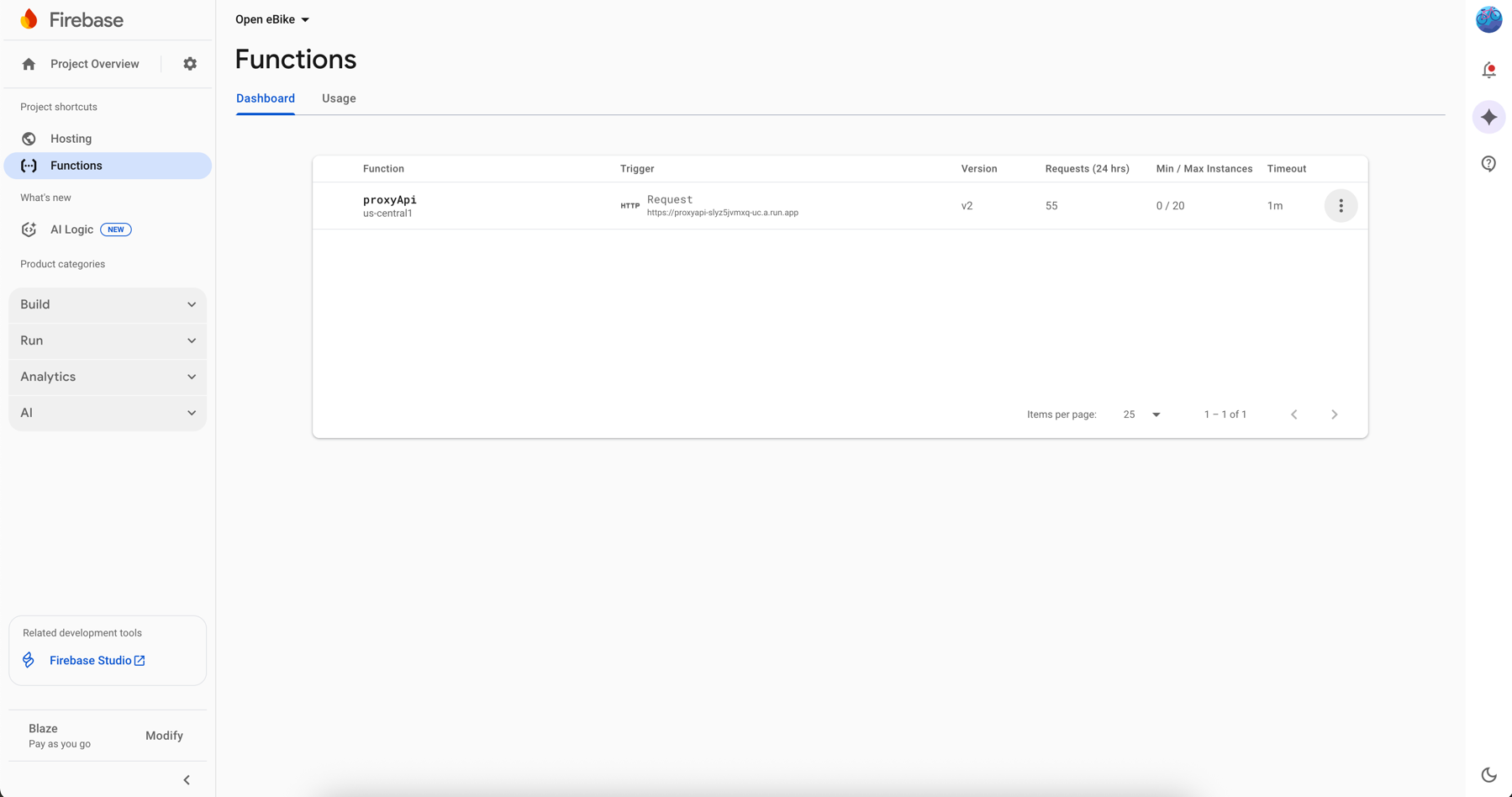
In the Firebase Console we can now see our function.
The only thing left to do is to configure our app to call the Firebase function instead of the actual API endpoint.
We can do so by adding this rewrite in firebase.json that forwards all calls to /apito our function.
{
  "source": "/api/**",
  "function": "proxyApi"
}
To actually call /api we need to adjust the value of ebikeApiUrl in src/environments/environment.firebase-hosting.ts.
export const environment = {
  eBikeApiUrl: '/api'
}
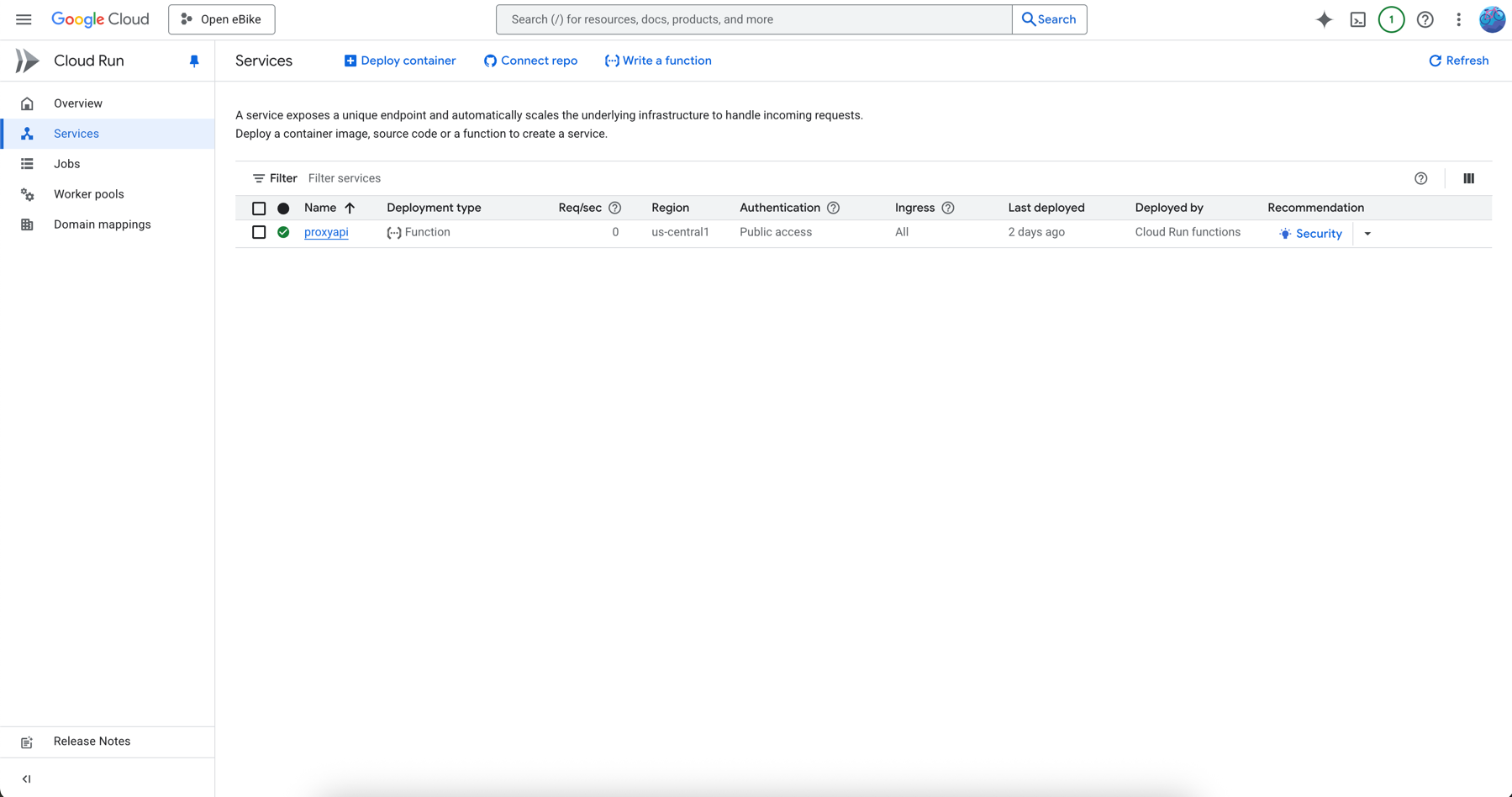
For this approach to work properly need to allow or function to be accessed publicly. We can so via the Cloud Run section inside the Google Cloud Connsole. Here we can see our deployed function.
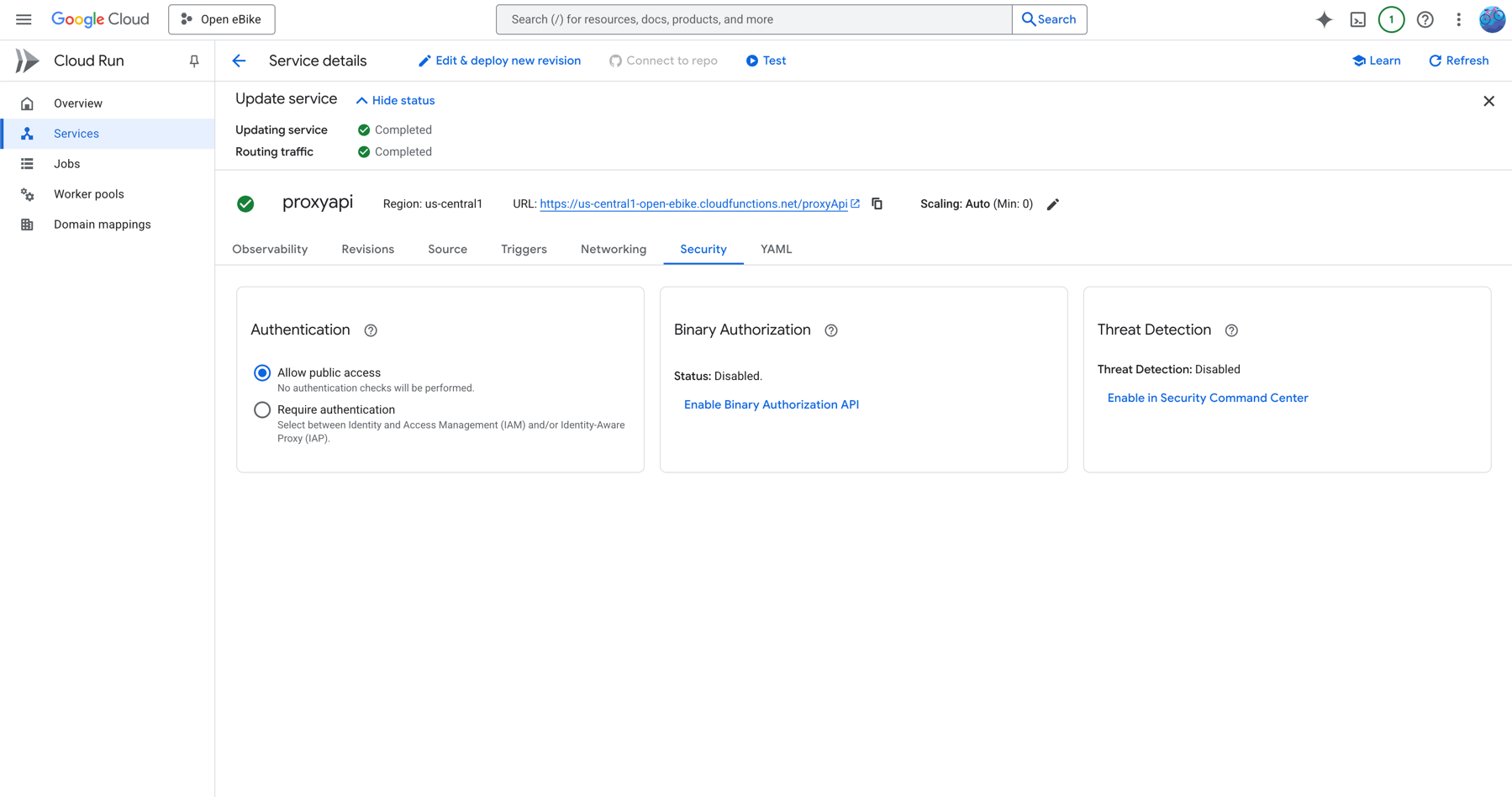
In the function’s details page, in the Security tab we need to select Allow public access.
In the next post we will make the client ID configurable so that each user can use their individual client application which is needed to access their own data.