Make Client ID Configurable
In the previous post we managed to address the issue with same-origin policy we faced when calling Bosch EUDA APIs directly from our web app by using Firebase Functions.
Now that the deployed web app can call the EUDA APIs one problem remains: The client ID is currently hard-coded. Based on the legal text a user is entitled to read their own data only. That means we need to make the client credentials configurable at runtime so that each user can specify the client ID of their client application.
To do so we need to
- remove hard-coded client IDs that were specified in
environmentfiles - remove the configuration of the OAuth service during the app initialization
By adding a dedicated login page to give users the chance to enter their individual client ID.
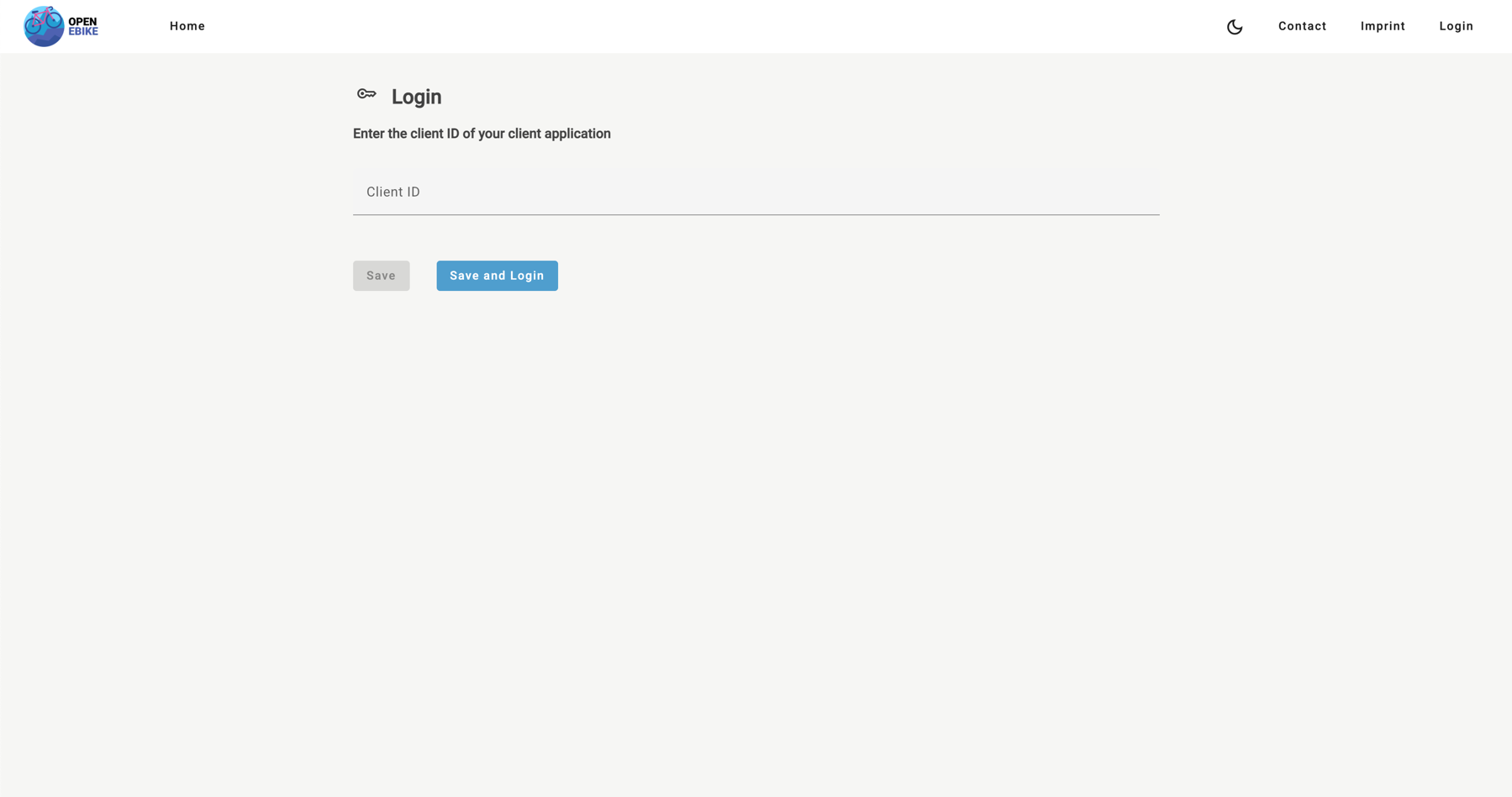
Since we now skip the configuration of the OAuth service during the bootstrapping phase we need to manually handle the two phases of the authorization code flow.
Retrieve the authorization code
After the user has specified the client ID and clicked on the Save and Login button on the login page the OAuth service is configured using the provided client ID. The configuration comprises
- setting the client ID in the auth config
- configuring the auth config itself
- loading the discovery document
- storing the client ID value in
localStoragesince we need it in the second phase (and the page will reload until then)
onSaveAndLoginClicked(clientId: string) {
  this.authenticationService.configure(clientId).then(() => {
    this.authenticationService.login();
  });
}
async configure(clientId: string): Promise<void> {
  this.clientId.set(clientId);

  // Set client ID auth config
  const authConfig = { ...environment.authConfig };
  authConfig.clientId = clientId;

  // Configure auth config
  this.oauthService.configure(authConfig);

  // Fetch token endpoint
  await this.oauthService.loadDiscoveryDocument();

  // Store client ID
  localStorage.setItem('clientId', clientId);
}

login() {
  this.oauthService.initCodeFlow();
}
Exchange the authorization code for an access token
We want the user to land on the /home page after successful login.
To ensure this behavior we specify the redirectUri in the environment.firebase-hosting.ts file accordingly.
export const environment = {
  redirectUri: 'https://open-ebike.web.app/home'
}
Since the user will be redirected to the /home page we need to continue the second phase of the authorization code flow during the component’s initialization. Here we need to
- restore the client ID we previously stored in
localStorage - running the login code flow which exchanges the authorization code for a bearer token
async ngOnInit() {
  await this.authenticationService.restoreConfig();
  await this.authenticationService.processLoginCallback();
}
async processLoginCallback() {
  await this.oauthService.tryLoginCodeFlow();
}