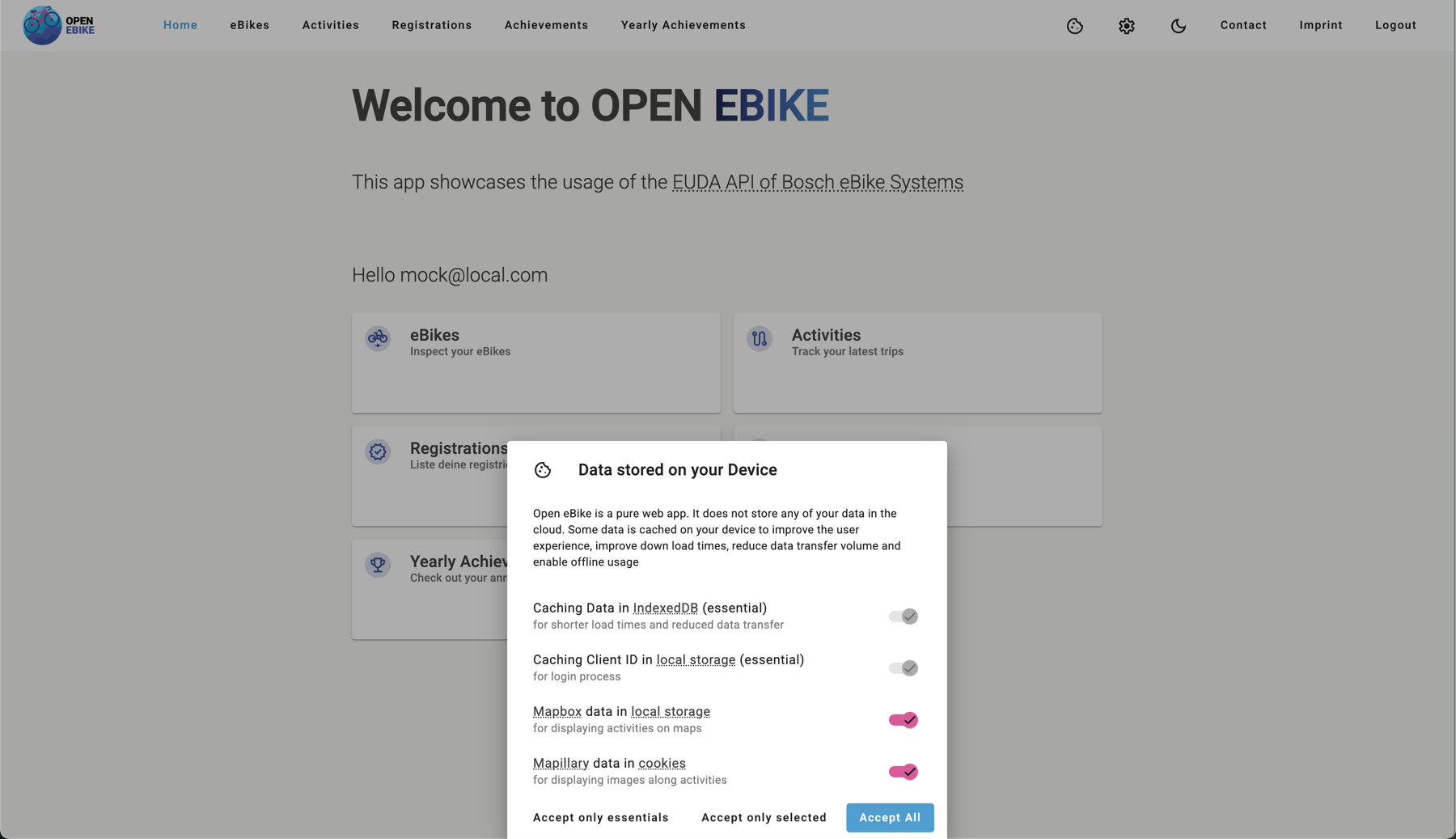
Add Cookie Banner
To comply with privacy regulations such as General Data Protection Regulation (GDPR) and ePrivacy Directive, we need to inform users about the use of cookies (and other ways to store data locally) and obtain their consent before storing any non-essential cookies on their devices.
To do so we need to
- add the cookie banner that displays types of stored data and how they are used
- caching data in IndexedDB as described in the previous post
- caching the client ID which needed for the login mechanism
- Mapbox data in local storage for displaying activities on maps
- Mapillary data in cookies for displaying images along activities
- make sure that the user need to make any decision before closing the banner
- disable features that require local data storage in case the user has not given consent
- remove local storage and cookies after the user has withdrawn consent
We display the cookie banner on the first visit to the web app and after clicking on the cookie button in the toolbar.