Add Social Sharing
In the previous post we displayed achievements.
Now let’s add a social sharing feature for achievements
To do so we need to
- add a web share service that calls the web share API of the browser to open the native sharing options of the operating system
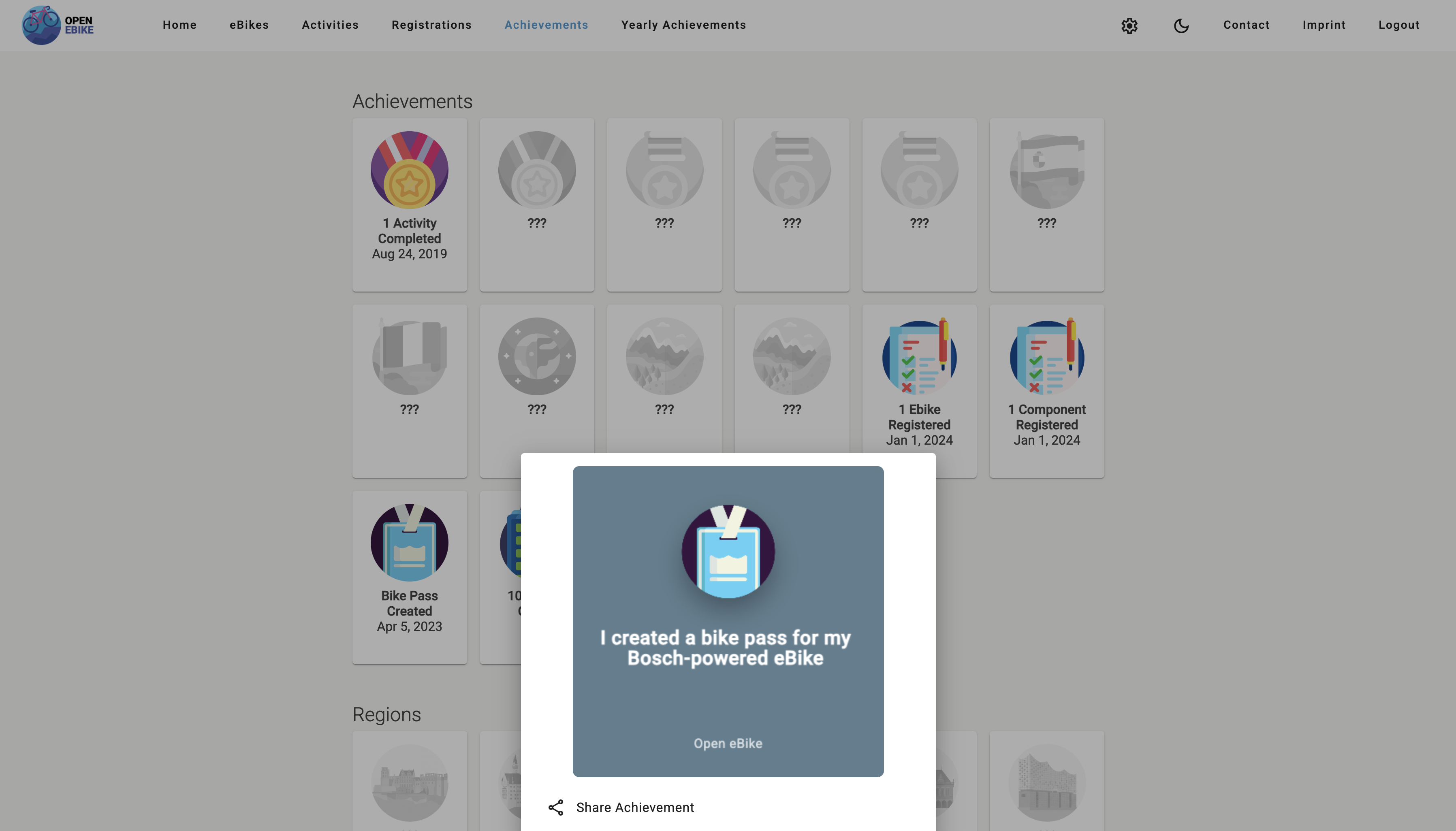
- add a bottom sheet that contains a share button
- add a share picture
- add a share pitcure generator so that they do not need to be designed manually for each achievement
- differentiate between a small preview and a larger share picture
After clicking on an achievement badge we display a bottom sheet that contains a preview of the share picture and a share button. Clicking the share button opens the native sharing options of the operating system.
In the next post we will display yearly achievements of a user.