Make Web App Progressive
Our web app is now available at https://open-ebike.web.app. Tough it looks nice on a laptop the same is not true for mobile devices. Let’s change this by making the web app progressive and by adjusting some UI controls for smaller devices.
While still being web apps progressive web apps (PWAs) aim to be
- capable of things that native apps can do which are usually installed from Play Store or the App Store, e.g. push notifications, camera usage
- reliable even if used offline
- installable so that it behaves more like a native app even if technically running a browser window
Now let’s make our web app progressive - we can so by calling a single command which will create a service worker and a web manifest.
ng add @angular/pwa
The service worker defines the caching strategy of our web app in ngsw-config.json and needs to be registered in the application config in src/app/app.config.ts
export const appConfig: ApplicationConfig = {
  providers: [
    provideServiceWorker('ngsw-worker.js', {
      enabled: !isDevMode(),
      registrationStrategy: 'registerWhenStable:30000',
    }),
  ],
};
The web manifest specifies how the web app will be presented including
- its name
- maskable app icons in various resolutions (which can be easily designed at https://maskable.app/editor)
- screenshots of the app that are displayed when the user tries to install the app
One last thing to do to make the app usable on mobile devices is to add a menu for smaller decices that is displayed vertically.
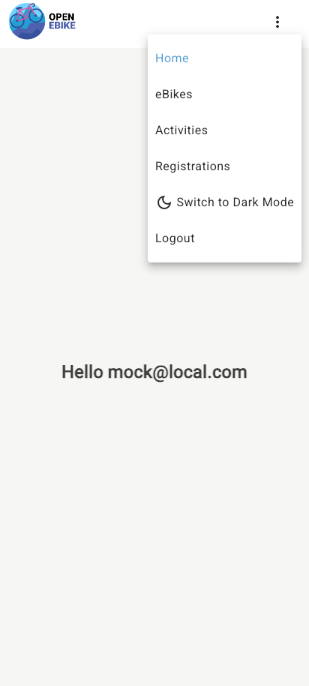
Et voilà, the web app is now installable.
Using Lighthouse which is integrated into the Chrome browser we can analyze our app metrics such as performance, accessibility, best practices and SEO.