Display eBike Details
In the previous post we displayed a list of all eBikes associated with the logged-in user. Now let’s load an eBike’s details via the eBike Profile API (Smart System) and display them. To do so we need to
- add another endpoint in eBike profile service to fetch the eBike profile details for a given eBike ID
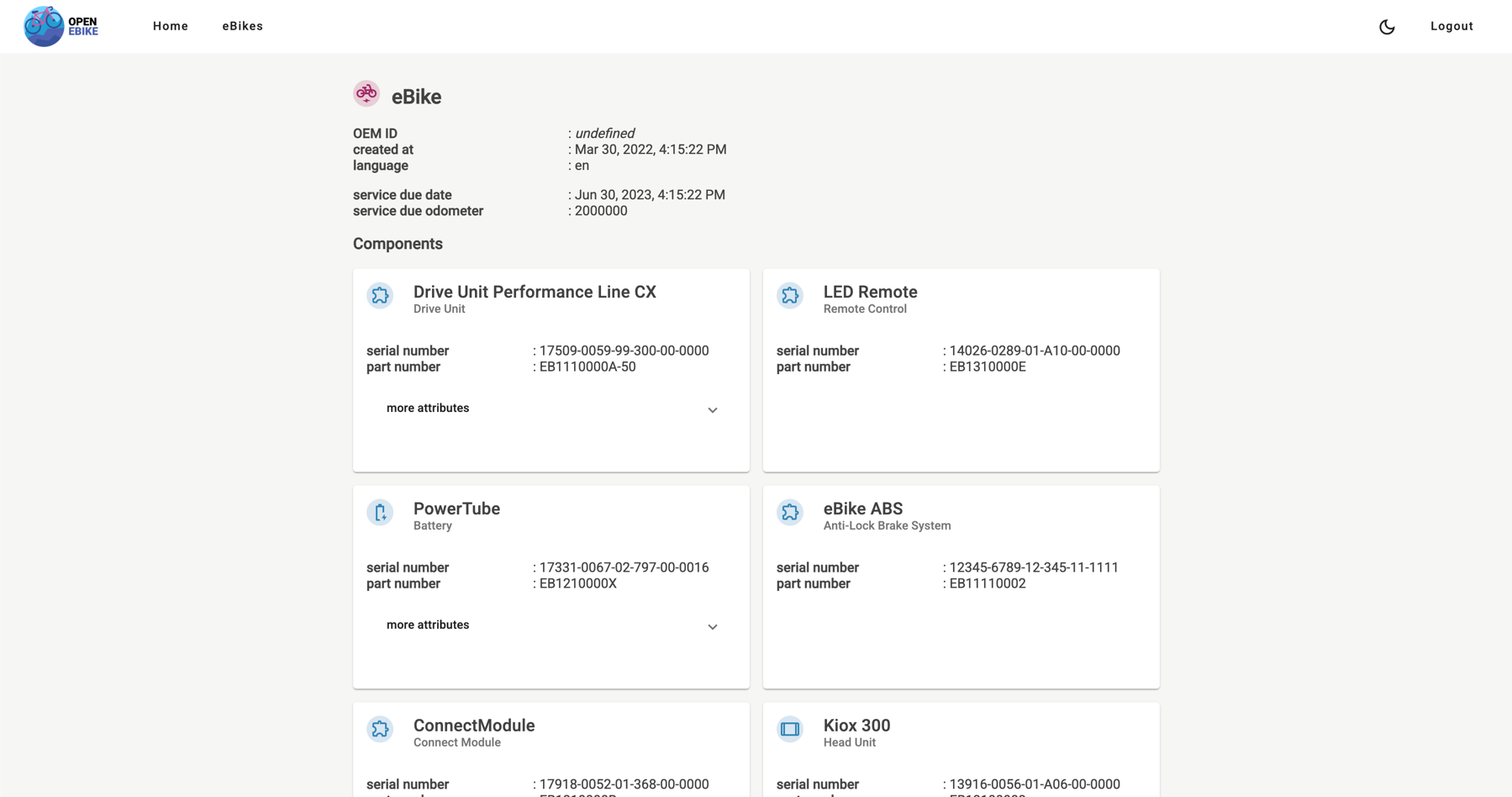
- add a separate eBike details page to display the eBike profile details including the components
- display a list of all eBike components in the eBike details page
- display other attributes if an eBike in the eBike details page
To let the user identify the components mounted to their eBike we display serial number and part number of each component as well as other attributes and different icons.
In the next post we will display activities a user has performed on their eBike.